.png)
Airbnb checkout to turnover cleaning: complete 2026 workflow

Instead of manually chasing checkout messages and cleaner updates, build an Airbnb turnover cleaning schedule that connects each departure to an assigned clean, inspection and guest-ready handover. This 2026 workflow gives you a shared turnover record without assuming you have booking software or an automated connection.
TL;DR
- An Airbnb turnover cleaning schedule needs confirmed departure, cleaner acceptance and inspection before guest-ready approval.
- Housekept provides Airbnb and holiday rental cleaning across Sydney, Shoalhaven and Illawarra.
- Keep checkout, cleaning completion and guest-ready approval as separate milestones.
- Update the existing turnover record when booking details change; do not create competing instructions.
Why this matters
A checkout time is not permission to enter, and a finished clean is not proof that a property is ready. Your schedule needs to distinguish the booking plan from what actually happened at the property.
Housekept is best for hosts seeking Airbnb and holiday rental cleaning services across Sydney, Shoalhaven and Illawarra. The Airbnb cleaning guide for Sydney property managers covers the service context; this guide covers the handover process you control.
For your 2026 operating plan, give each turnover a named owner. That person handles changes, resolves access problems and authorises the final handover rather than leaving those decisions in a group conversation.
Before you start
- Booking and access information: Have permission to view departures and arrivals, a reliable way to confirm vacancy, and an agreed method for giving cleaners property access. Keep entry codes out of broadly shared records.
- A shared record and cleaning brief: Use a spreadsheet or task system that the host and cleaning coordinator can access. Prepare room requirements, linen arrangements, approved replenishment items and an escalation contact.
- The gotcha: calendar updates are not cleaner acceptance. A changed booking does not prove that the cleaner has seen or accepted the new window. Require a fresh acknowledgement whenever the working window changes.
Do not promise early arrival until the person responsible for the turnover has accepted the revised deadline. A guest message alone must not silently change the cleaning brief.
Turnover record
The bold labels below are suggested fields for your own template, not existing Airbnb buttons or settings. Create them in your chosen shared record so everyone uses the same terms.
- Create one record per departure. Add Property, Reservation reference, Checkout, Next check-in, Turnover owner and Assigned cleaner. Include the local date and time, not just the day of the week.
- Add Access instructions, Cleaning brief, Linen plan, Replenishment list and Exceptions. Link these internally within your own working system where appropriate; do not bury operational details in guest conversations.
- Add Cleaner acceptance, Vacancy confirmed, Cleaning complete, Inspection complete and Guest-ready approval. Record who confirmed each milestone and when.
- Add Last booking check and Change acknowledged. These fields show whether the working instructions reflect the current booking rather than an older message.
Use the reservation reference to distinguish consecutive bookings at the same address. Give the cleaner enough context to identify the job without distributing unnecessary guest information.
Expected result: each departure has one identifiable record, one accountable owner and a visible route from scheduled checkout to guest-ready approval.
Choose the handover method
Start with the simplest method you can maintain. These are workflow options, not claims about any particular software connection.
Shared record with manual confirmation
- Best for: Hosts coordinating directly with a cleaner
- Advantage: Makes responsibilities and exceptions visible
- Limitation: Someone must check booking changes and request acknowledgements
Booking-connected task system
- Best for: Operators whose chosen system supports the required connection
- Advantage: Can reduce repeated entry of booking details
- Limitation: Connection behaviour, update handling and permissions need testing
Use manual confirmation until any connected workflow has passed your own booking-change tests. If you use Housekept for Airbnb cleaning, agree the working window, access method and completion evidence directly; do not assume the service includes a particular software connection.
Cleaning window
Work backwards from the next arrival rather than treating checkout as the only deadline. Separate cleaning, checking and recovery time so an issue discovered at inspection still has an owner and a response window.
- Enter the confirmed Next check-in and scheduled Checkout. Check whether either guest has an approved timing change.
- Ask the cleaning provider to confirm the work window against the property's actual scope. Include beds, bathrooms, laundry arrangements and any extra tasks. Do not substitute a generic cleaning duration for that agreement.
- Set an Inspection deadline before check-in. Reserve a separate Recovery buffer for correcting missed work or resolving a handover issue.
- Request Cleaner acceptance of the full window. If the work does not fit, resolve the mismatch before confirming an arrival concession.
For an illustrative planning example, a 10 am checkout and 3 pm check-in create a 5-hour gap. Reserving 30 minutes for inspection and 30 minutes for recovery leaves 4 hours for access, cleaning and reset activities. These are example planning allowances, not a cleaning-time estimate or service commitment.
Count laundry within that window if the property depends on the same linen being washed, dried and returned before arrival. If prepared replacement linen is used, record where clean sets are stored and where used linen goes.
Expected result: the cleaner has accepted a defined window, and the schedule shows time for checking the result rather than using every available minute for cleaning.
Checkout and handover
Use the following sequence for your 2026 turnover checklist. The key distinction is permission: each stage provides the information needed to start the next stage safely and clearly.
Vacancy confirmed
- Confirm that the departing guest has left through your agreed process. Do not mark Vacancy confirmed solely because the scheduled checkout time has passed.
- Check that the cleaner can enter using the authorised access method. Escalate a late departure or access failure to the Turnover owner immediately.
- Record visible exceptions before routine cleaning starts, such as damage, missing linen or an appliance problem. Keep photographs focused on the issue and share them only with relevant people.
Expected result: the cleaner has authorised access to a vacant property, and unexpected conditions have been reported before they become last-minute surprises.
Cleaning complete
- Follow the agreed Cleaning brief room by room. Separate routine turnover work from tasks requiring extra approval, specialist treatment or maintenance.
- Reset beds and linen, check agreed replenishment items, and complete the kitchen, bathroom and living-area tasks in the brief. Follow product labels and surface-care instructions; never mix cleaning chemicals.
- Mark Cleaning complete only after the agreed scope is finished. Leave unresolved problems visible in Exceptions, with the person responsible for the next action named.
Expected result: the property has completed its agreed cleaning scope, but it is not yet labelled guest-ready.
Guest-ready approval
- Check the property against the same room checklist used for cleaning. Inspect bedding, bathroom surfaces, kitchen residue, bins, floors and obvious signs of unfinished work.
- Check agreed arrival essentials, including access arrangements and the linen configuration. Report maintenance faults rather than treating them as cleaning tasks.
- Record Inspection complete and resolve blocking exceptions. The authorised person then records Guest-ready approval and tells the host that the handover is complete.
Expected result: the host has an explicit release decision supported by an inspection, not an assumption based on a cleaner leaving the property.
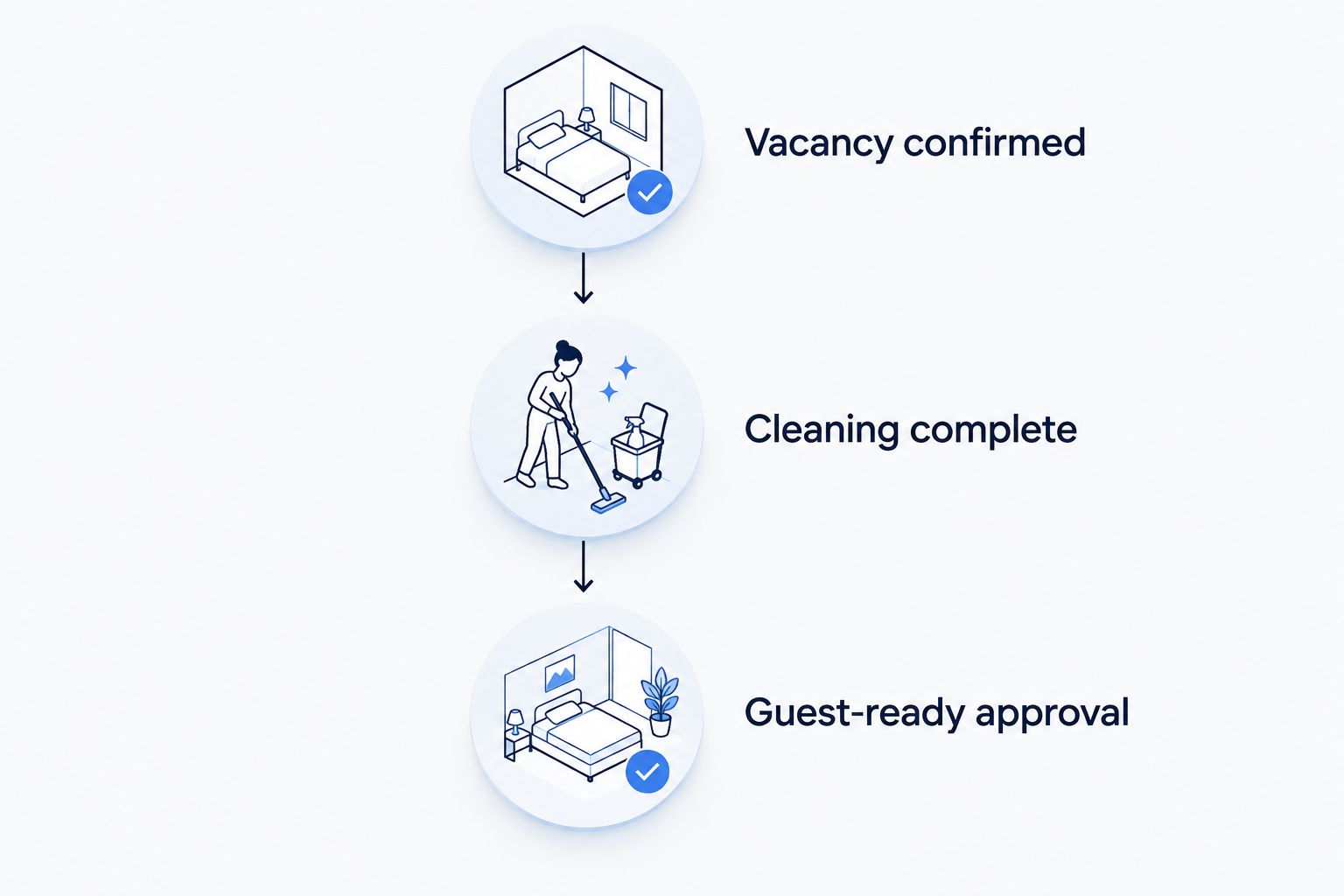
Cleaning completion and guest-ready approval are separate decisions.
Booking-change workflow for 2026
A date change, cancellation or early arrival needs a controlled update to the existing turnover record. Creating another task without closing or replacing the original leaves two sets of instructions in circulation.
- Match the change to Reservation reference. Check both the departure and the next arrival because either can alter the working window.
- Update Checkout, Next check-in and the relevant deadlines. Record what changed in Exceptions, then update Last booking check.
- Ask the assigned cleaner to acknowledge the revised window. Keep Change acknowledged incomplete until that response arrives.
- If the cleaner cannot accept the change, have the Turnover owner resolve cover or timing before treating the new plan as confirmed.
- For a cancelled departure, check whether any cleaning or inspection is still required before closing the task. Cancellation does not establish the property's condition.
If you use a connected task system, test a booking creation, date change and cancellation before relying on it. Check which fields update, whether duplicate tasks appear, and who receives the notification.
The benefit of a connected workflow is less repeated entry; the limitation is that a successful update still does not confirm access, cleaner acceptance or property readiness. Keep those human checkpoints visible.
Troubleshooting
The guest has not left
Keep Vacancy confirmed incomplete and contact the Turnover owner. Recalculate the remaining window and tell the cleaner what has changed; do not keep the original completion deadline by silently removing inspection time.
The cleaner cannot enter
Check the property identity and authorised access instructions before changing arrangements. Use the agreed private channel for access details, and record the delay without publishing entry codes in a shared comment thread.
Linen is not ready
Check whether the Linen plan requires on-site laundry or prepared replacement sets. Escalate the missing supply and revise the handover plan; do not mark a bedroom complete while its agreed bedding is unresolved.
Cleaning is complete but a fault remains
Separate the cleaning status from the maintenance issue. Name the person responsible, state what remains unresolved and withhold Guest-ready approval when the issue prevents the agreed handover.
Two records describe the same turnover
Match the reservation reference, choose the current record and clearly close the duplicate. Tell everyone which record now controls the job; deleting a task without explanation can leave someone working from an old notification.
Customise your workflow
Add property-specific instructions only where they change the work. A clearly labelled linen cupboard, a photographed bed configuration and an agreed replenishment list are more useful than a long brief filled with repeated reminders.
For multiple properties, keep the milestone names consistent but tailor the room checklist. Compare exceptions across completed turnovers to identify recurring access, supply or maintenance problems rather than making every cleaner rediscover them.
Before the next busy period in 2026, review who can approve changes, who can release the property and who covers an unavailable coordinator. Backup responsibility belongs in the operating plan, not in an unanswered message thread.
Housekept provides holiday rental cleaning in the stated service areas; confirm the property brief and coordination arrangements before assigning work. A service booking and a completed turnover are different milestones.
Plan your holiday rental cleaning
Discuss your property, cleaning scope and turnover arrangements.
FAQ
How do I create an Airbnb turnover cleaning schedule?
Create one record per departure with checkout, next check-in, cleaner acceptance, vacancy confirmation, cleaning completion and guest-ready approval. Assign an owner to resolve changes and exceptions.
How long should I allow between checkout and check-in?
Allow the cleaning window agreed for your property, plus separate inspection and recovery time. Base the plan on the actual scope, access arrangements and linen process rather than a universal duration.
Can I automate Airbnb turnover cleaning?
You can automate booking-to-task updates when your chosen system supports that connection. Test new bookings, changes and cancellations, and retain explicit confirmation for cleaner acceptance, access and guest-ready approval.
What happens if a guest checks out late?
Recalculate the turnover window and ask the cleaner to accept the revised plan. The turnover owner must resolve any conflict with the next arrival instead of assuming the original deadline still works.
Does Housekept provide Airbnb cleaning in Sydney?
Housekept provides Airbnb and holiday rental cleaning across Sydney, Shoalhaven and Illawarra. Confirm your property's cleaning scope, access instructions and handover arrangements directly.
Should the cleaner mark the property guest-ready?
The person authorised in your operating plan should mark the property guest-ready after inspection and resolution of blocking issues. Cleaning completion alone is not the release decision.
One last thing
For your 2026 checklist, make the final question what is still unresolved? A completion message tells you work has stopped; a clear exception record tells you whether the next guest can arrive as planned.